To remove the wait on quotes, put your pricing rules and standard terms into the system, set pre-approved bands that a salesperson can offer without asking, and route to a person only the true exceptions, with the context attached. AI speeds up the drafting. The rules and the routing remove the waiting, and waiting is where most of the cycle time sits.
If you are the COO or the head of sales operations, you own quote turnaround and the cost of getting a price out. This guide shows how to find the wait, design the rules, and keep control while you do it.
Why faster drafting changes so little
Take an illustrative example. A quote takes one day to write and nine days to clear pricing, finance and legal. That is ten days from request to customer.
Give the writer an AI tool and the draft takes an hour. The writing is eight times faster, and the customer receives the quote one day sooner. Nine of the ten days were waiting, and the tool never touched them.
A process moves at the speed of its slowest step. Speeding up a different step moves the whole process very little, and it can make the queue in front of the slow step longer.
The fix is a redesigned workflow. The two ingredients are rules the system can apply on its own, and routing that sends a person only what needs a person. The essay You Have AI Everywhere. Why Hasn't Anything Changed? covers this pattern at company level.
Step one: map working time against waiting time
Before changing anything, measure where the days go. Use the last 20 quotes that closed, won or lost.
- For each quote, list every step from request to delivery: intake, scoping, pricing, drafting, internal review, finance approval, legal review, sending.
- Record the timestamp when each step starts and ends. Take them from the system where possible and from email where needed.
- Split each step into working time (someone actively doing the work) and waiting time (the quote sitting in a queue or inbox).
- Sum each column. The waiting share is the number that matters.
| Step | Working time | Waiting time | Who it waits on |
|---|---|---|---|
| Intake and scoping | |||
| Pricing | |||
| Drafting | |||
| Internal review | |||
| Finance approval | |||
| Legal review | |||
| Sending |
Fill in the table with your own timestamps. In most companies the largest waiting entries sit at the approval steps, because those steps need a specific person who has other work.
Step two: put the rules into the system
An approval step usually exists because a rule is stored in someone's head. The approver knows that a discount over a certain level needs a second look, that some customers get special terms, and that one clause always goes to legal. If you write those rules down in a form the system can read, the approver stops being a gate for routine quotes.
Work through four kinds of rules.
- Pricing rules. List prices, volume breaks, bundles and the floor price per product.
- Discount authority. How far each role can go without asking anyone.
- Standard terms. The contract language that legal has approved in advance, with the conditions under which each version applies.
- Customer-specific terms. Agreements that already exist for named accounts.
Hold these rules in data that a person can read and update, so changing a discount limit takes an edit to a table. The sibling guide on pricing and renewal rules across many product lines explains the pattern. At Level 3 and Lumen, the rules for each of more than 1,000 product lines were held in data, which kept the system manageable as it grew.
Step three: set pre-approved bands
A pre-approved band is a range inside which a salesperson can issue a quote with no approval at all. The system checks the quote against the rules and sends it out.
- For each product, set the list price and the floor.
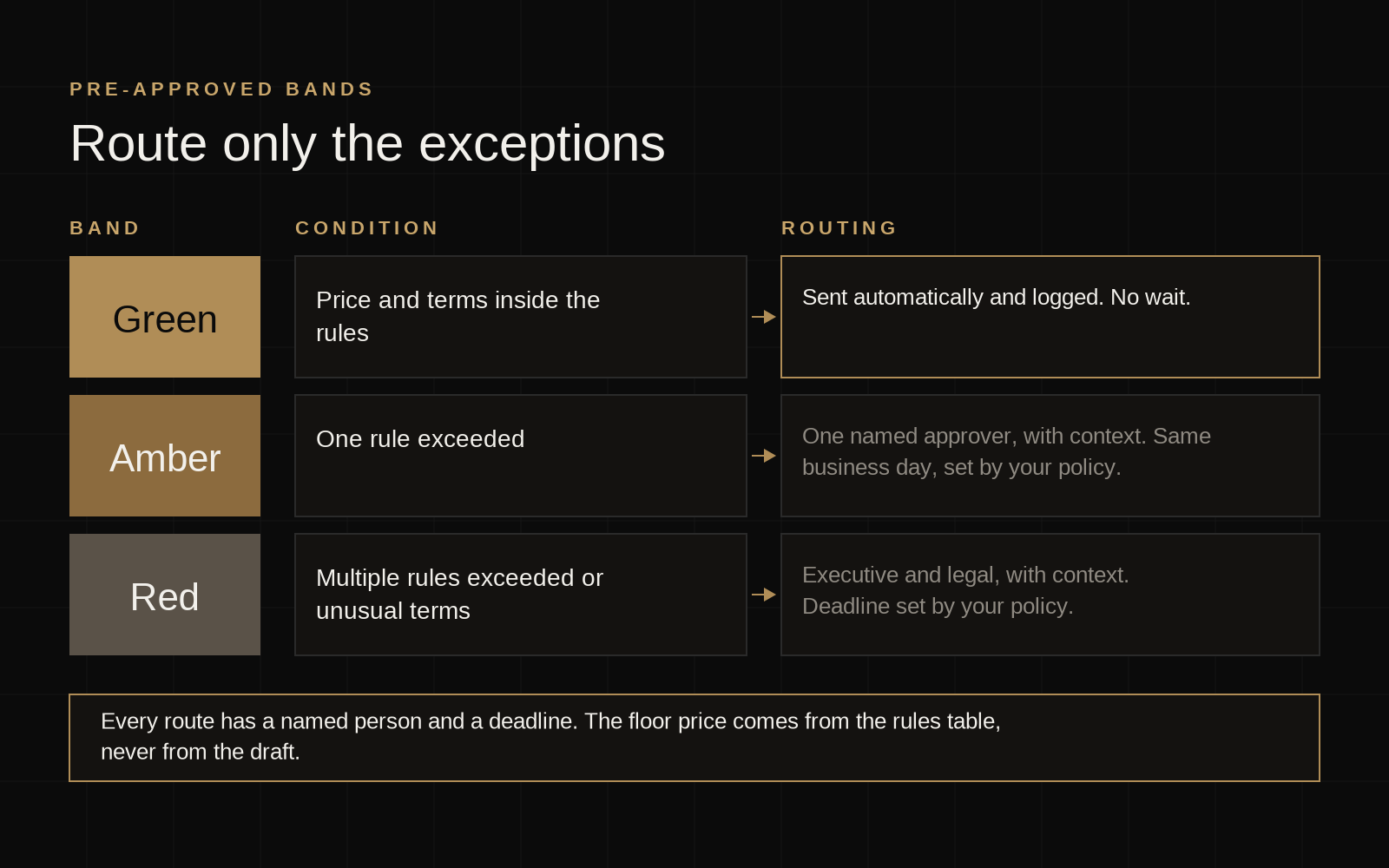
- Define bands by discount level: green (inside the band, send automatically), amber (needs one named approver) and red (needs the executive approver).
- Set the band edges using the history of past quotes. Look at which discounts were approved every time over the last year. Those become green.
- Attach standard terms to the green band. Any change to those terms moves the quote to amber.
| Band | Condition | Routing | Target handling |
|---|---|---|---|
| Green | Price and terms inside the rules | Sent automatically, logged | No wait |
| Amber | One rule exceeded | One named approver, with context | Same business day, set by your policy |
| Red | Multiple rules exceeded or unusual terms | Executive and legal, with context | Set by your policy |
Set the handling targets in the last column yourself. The point is that every route has a named person and a deadline.
Step four: route only true exceptions, with context
Many approval queues fail because the approver gets a bare request: "please approve this quote". The approver must then dig through email, the CRM and the contract to understand it. That digging is a large part of the wait.
A good exception request carries everything the approver needs in one view:
- the quote, with the rule that was exceeded and by how much
- the account history: tenure, past purchases, open issues
- the recommended decision and the reason
- the standing alternatives, such as a smaller discount with a longer term
This is where AI earns its place. It can assemble the summary, read the account history and draft the recommendation. The approver reviews and decides, and the decision goes back into the record.
Step five: controls and audit trail
Faster approvals still need control. Build five controls into the design from the start.
- Humans first. At launch, a person reviews every automated quote. Remove that review band by band, once the error record supports it.
- A test suite on known quotes. Before launch, run a set of past quotes through the system and compare its answers to the decisions people made. Investigate each difference.
- Escalation by design. If the system cannot match a quote to a rule, it routes to a person and never guesses.
- Guardrails in code. The floor price is enforced by code. AI drafts the words, and the price comes from the rules table.
- An audit trail. Every quote records the rule version applied, who approved it, when, and why.
The audit trail is also what lets finance and legal trust the system. They can see which rule produced which quote on any date.
The Monday procedure
- Pull the last 20 closed quotes and record the timestamps for each step.
- Total working time and waiting time, and name the largest wait.
- Interview that approver and write down every rule they apply, including the unwritten ones.
- Enter those rules in a table with an owner and an effective date for each.
- Set green, amber and red bands from the past year's approval history.
- Run 50 past quotes through the rules and compare results with what people decided.
- Launch with a person reviewing every automated quote, and track the waiting time weekly.
What goes wrong
- The rules are written down once and never updated. Prices and terms change, and a stale table produces wrong quotes. Give each rule an owner and an effective date.
- Bands are set too wide on day one. Start narrow, with the discounts that were always approved, and widen as the record builds.
- Exceptions arrive without context. If the approver still has to hunt for information, the wait stays. Test the exception view with the approver before launch.
- AI sets the price. The price comes from the rules table. If a draft shows a number the rules did not produce, block it.
- Nobody tracks waiting time after launch. The bottleneck moves once the approval queue clears. Keep measuring, and expect the next delay to show up in data quality or a handoff.
- Legal is brought in last. Involve legal in writing the standard terms at the start, so their review becomes a one-time approval of the language.
Questions leaders ask
Will the approvers accept this?
Most approvers prefer it, because it removes the routine requests and leaves them the decisions that need judgment. Involve them in setting the bands, and give them the context view first. Their rules become the system's rules.
What happens when the system meets a quote it does not understand?
It routes the quote to a named person with the reason. The system never guesses at a price or a clause. Each unmatched case also shows you a rule that is missing from the table.
How do we keep finance comfortable with automatic quotes?
Show them the audit trail and the test results before launch, and keep a person reviewing every automated quote in the first weeks. Finance usually trusts a system that applies the same rule every time, because people applying rules by memory vary.
Does this apply to renewals as well as new business?
Yes. Renewal quotes follow the same pattern, with an added trigger from the contract end date. The pillar guide on renewal and upsell systems shows how the pieces fit together.
The Leverage Diagnostic takes about six minutes, scores the six places leverage hides and prices the gap with the math shown. Take the Leverage Diagnostic to see how much of your cycle time is waiting.