You can audit a renewal process in five working days with one analyst and read access to your contract list, CRM and billing data. The audit answers four questions: which contracts end in the next 12 months, which will renew at an old price, how long it takes to make first contact, and how many renewals get a real conversation.
If you are the chief revenue officer or the head of customer success, you own gross retention and the days it takes your team to act. This audit gives you a baseline for both.
What you need before Monday
Gather three things before the week starts.
- A contract list. Every active contract, with account name, product, start date and end date. If contracts live in documents, ask someone to build the list from the most recent 12 months of end dates first.
- Billing data. The current price per account and product, and the price at the last renewal.
- CRM activity. Calls, meetings and emails logged against each account over the last 12 months.
Assign one person to run the audit. Give that person a single shared sheet, and agree that nobody edits data in the source systems during the week.
The five-day audit
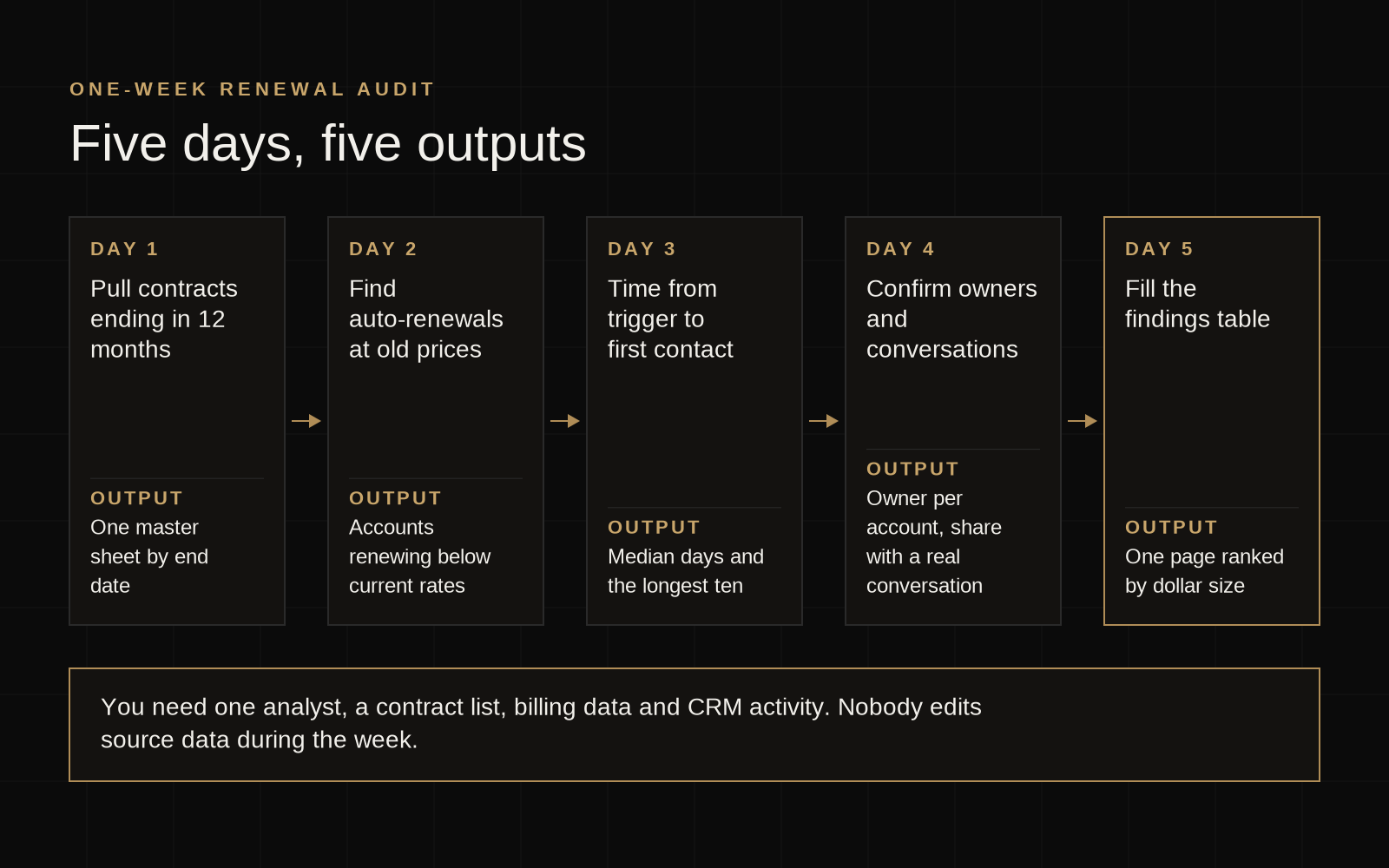
Each day has one output. The table below shows the plan, and the sections after it give the steps.
| Day | Task | Output |
|---|---|---|
| 1 | Pull every contract ending in the next 12 months | One master sheet, sorted by end date |
| 2 | Find auto-renewals and old prices | A list of accounts renewing below current rates |
| 3 | Measure time from trigger to first contact | Days from flag to contact for the last 12 months of renewals |
| 4 | Confirm ownership and human conversations | Owner per account, share of renewals with a real conversation |
| 5 | Fill the findings table and rank the gaps | A one-page summary with dollar estimates |
Day 1: pull every contract ending in the next 12 months
- Export every contract with an end date between today and 12 months out.
- Add columns for account owner, annual value, product lines, notice window and renewal type (auto-renew, manual, month to month).
- Sort by end date and mark every contract that ends within 90 days in a different color.
- Count the rows with a missing end date or a missing notice window. Those rows are your first finding.
Do not clean the data yet. Record what you find, because the gaps are the result.
Day 2: find auto-renewals at old prices
An auto-renewal at an old price is revenue you can recover with a conversation or lose to a competitor who offers a fresh quote.
- Filter for contracts that renew automatically.
- For each, compare the current price with what you would quote a new customer for the same product today.
- Flag every account where the old price sits below your current list or your current floor.
- Check the notice window. Mark any contract where the window to change terms has already passed, since the next chance comes at the following term.
Use your own floor as the comparison. If you have no written floor, that is a finding in itself.
Day 3: measure the time from trigger to first contact
Take the renewals that closed in the last 12 months. For each one, record two dates.
- The trigger date: the day someone could first have known the contract was ending. A fair default is the date 120 days before the end date, or the start of the notice window, whichever is earlier.
- The first contact date: the first logged call, meeting or personal email to the customer about the renewal.
The gap between the two dates is your days from trigger to first contact. Report the median and the longest ten. If many accounts show no contact at all before the end date, count them separately.
Day 4: confirm ownership and count human conversations
- For each account in the master sheet, name the person who owns the renewal today. Mark any account with no owner, two owners or an owner who has left.
- For the last 12 months of renewals, mark whether a human conversation took place: a call or a meeting. An automated email with a renewal notice does not count.
- Calculate the share of renewals that had a human conversation.
- Split that share by account size. Large accounts that renewed with no conversation are the highest-risk finding.
Day 5: fill the findings table and rank the gaps
Use the template below. Each row gets a count, a dollar estimate and an owner for the fix.
| Finding | How to count it | Dollar estimate | Fix owner |
|---|---|---|---|
| Contracts with no end date or notice window | Rows with a blank field | Annual value of those contracts | Sales operations |
| Auto-renewals below current price | Accounts flagged on day 2 | Gap per account times annual volume | Revenue operations |
| Notice windows already missed | Contracts past the window | Annual value at risk | Account owner |
| Median days from trigger to first contact | Day 3 calculation | Not priced, track as a speed measure | Customer success |
| Accounts with no owner or a departed owner | Day 4 list | Annual value of those accounts | Sales leadership |
| Renewals with no human conversation | Share from day 4 | Annual value of those renewals | Customer success |
To price the gap on old-price auto-renewals, use a formula you fill in yourself: for each account, take current list price minus the old price, multiply by annual volume, and sum the results. Treat the total as an upper bound, since not every customer accepts a new price.
Here is an illustrative example of the math, with made-up numbers. An account paying $100 a unit on a contract that renews at that price, against a current price of $110, with 1,000 units a year, shows a gap of $10,000. Your own numbers replace these.
Read the results
Rank the findings by dollar size first and by how quickly you can fix them second. A short list of fixes you can start next week usually beats a long list of structural changes.
Look for patterns across the findings. Accounts with no owner tend to be the same accounts with no human conversation. Contracts with missing notice windows tend to be the old, large agreements. A single root cause often explains several rows.
The audit tells you where the leaks are. The next step is a system that closes them. The pillar guide on renewal and upsell systems describes the three jobs that system performs: see the event coming, route it to a named person with context, and record the outcome.
What goes wrong
- The contract list is incomplete. If half the contracts live in email, the audit covers half the exposure. Start with the largest accounts and add the rest in batches.
- Last-contact dates are guessed. CRM logs are patchy. If a salesperson says they called but nothing is logged, count it as no logged contact and note the gap. A call nobody recorded is also a finding about your system.
- The trigger date is set too late. Using the end date as the trigger makes every team look fast. Use the notice window or 120 days before the end, whichever is earlier.
- Dollar estimates are treated as forecasts. The estimates show where to look. Present them as ranges and label them as upper bounds.
- The audit ends in a slide deck. Assign each finding an owner and a date before the review meeting ends.
- Sampling is skipped for large accounts. A median hides the five accounts that matter most. List the top accounts by value by name.
Questions leaders ask
Who should run the audit?
A sales operations or revenue operations analyst who can read the CRM and billing data. The sponsor should be the CRO or the head of customer success, so findings move to owners quickly. Avoid assigning it to the team whose renewals are being measured.
What if we cannot find the notice windows?
Record each as a finding and sort the contracts by annual value. Read the top 20 contracts by hand and extract the notice terms. AI tools can read contracts at volume to extract dates and clauses, with a person checking each result.
How often should we repeat it?
Run the full audit once to set the baseline. Then track the three measures from it monthly: days from trigger to first contact, share of renewals with a human conversation, and the count of old-price auto-renewals. Repeat the full audit once a year.
Does the audit apply if we sell month to month?
Yes, with a change. Replace the end date with the trigger that matters for your business, such as a falling usage level or a billing event, and run the same steps against that date. The days-to-contact measure applies in the same way.
Once renewals are visible, the next delay to remove is usually the wait for a quote to clear approval.
If the audit shows a gap worth closing, the 30-Day Leverage Pilot turns it into a working system: week one finds the lever, week two maps the constraint, week three builds and tests, and week four goes live with humans first. See the 30-Day Leverage Pilot.