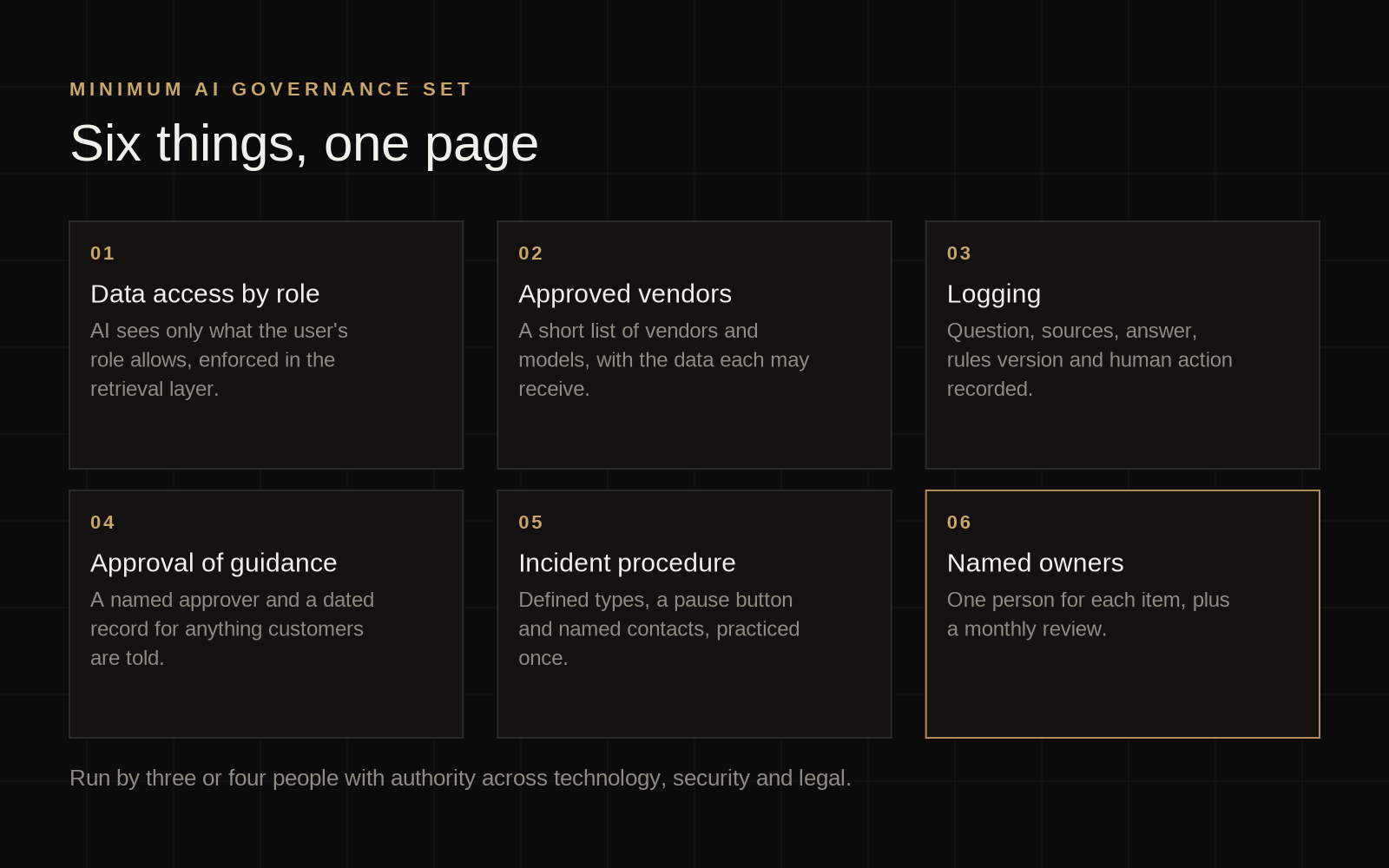
Mid-market AI governance comes down to six things you can write on one page and actually run: who can access which data, which vendors are approved, what gets logged, who approves new guidance, what happens in an incident, and who owns each of those. A company of 300 to 3,000 people can run this with a small group and a monthly meeting.
This guide is for the CTO, CISO or general counsel who will be asked, sooner or later, "is our AI use safe?" The number you own is the count of AI uses in the company that nobody has reviewed. The aim is to take that count to zero and keep it there.
What security and legal will ask
Whoever reviews an AI program asks a predictable set of questions. Prepare the answers before the meeting.
- What data does the system see, and who decided that?
- Where does the data go, and who else can read it?
- Which vendors touch it, and under what terms?
- Can we show what the system said and why, six months from now?
- Who can change what the system says to customers?
- What happens when it gets something wrong?
- Can an employee see data through the AI that they could not see directly?
If you can answer all seven in writing, you have a governance program. If you cannot, the gaps are your work list.
Build inside your own accounts and guardrails
The simplest governance decision is where the system lives. Build AI systems inside the company's own cloud accounts and identity system, behind the same access rules as your other software.
That choice answers several questions at once. Data stays in an environment you already control. Access follows your existing roles. Logging goes to the places your security team already watches. Vendor terms are ones your legal team has already reviewed.
The alternative is a scatter of tools that individual teams sign up for, each with its own data handling and no central record. Much of the governance exposure at a company of this size comes from that scatter.
The minimum governance set
Six components. Each has an owner, a standard and a review date.
1. Data access by role
AI should see only what the person using it may see. If a regional manager cannot open payroll files, an AI assistant used by that manager cannot retrieve them either.
Enforce this in the retrieval layer, where documents are filtered by the user's role before the model sees anything. Do not rely on an instruction to the model asking it to keep quiet. A company brain is built with this property: access follows your rules.
2. Approved vendors
Keep a short list of approved AI vendors and models, with the data each may receive. Each entry records who reviewed it, the date, the contract terms that matter (retention, training use, breach notice) and the next review date.
New vendors go through the same intake as any other software vendor, with a few added questions about data retention and model training.
3. Logging
Log each interaction that matters: who asked, what sources were retrieved, what the system answered, which version of the rules was in force, and what a human did with it. Set a retention period with legal, and a place the logs live.
The audit trail serves three purposes: investigating incidents, answering regulators or customers, and improving the system.
4. Approval of new guidance
Anything that changes what the system tells customers or employees is a change to company policy in practice. Pricing rules, refund terms, product claims and legal language need a named approver.
Keep the approved guidance in a versioned record. Each item has a source, an owner and a date. When the owner changes a fact, the system changes with it.
5. An incident procedure
Decide in advance what counts as an incident. A wrong answer sent to a customer, data shown to the wrong person, a vendor breach and a prompt that bypassed a rule are all candidates.
For each type, write down who is told, who can pause the system, how customers are corrected, and what is recorded afterward. Practice it once before you need it.
6. Named owners
Each of the five items above has one named person. Add a monthly review of the list of AI uses, the incident log and the vendor list. A short meeting with the CTO, the security lead and legal counsel is enough.
The one-page policy table
Start with a table like this. It fits on one page, and it turns the six components into rules people can follow.
| Area | Rule | Owner | Review |
|---|---|---|---|
| Data access | AI sees only what the user's role allows, enforced in the retrieval layer | CISO | Quarterly |
| Vendors | Only listed vendors and models, with data limits recorded | CTO | Every six months |
| Logging | Question, sources, answer, rules version and human action are recorded | Platform lead | Quarterly |
| Customer-facing guidance | Changes need a named approver and a dated record | Business owner | Monthly |
| Review of answers | Humans review every answer at launch, then by sampling | Program owner | Weekly at launch |
| Incidents | Defined types, a pause button, named contacts | CISO | After every incident |
| New AI uses | Registered before use, with owner and data scope | Program owner | Monthly |
A procedure you can start on Monday
- List every AI tool and AI-enabled workflow in the company. Ask each department head, and check expense reports and single sign-on logs.
- For each one, record the owner, the data it sees and the vendor.
- Sort them into three groups: approved as is, approved with changes, and stop.
- Write the one-page policy table above, adapted to your company, and have legal read it.
- Stand up the register of AI uses. A spreadsheet is enough to begin.
- Pick the one or two systems that speak to customers and put them through the controls in the pillar guide on engineering AI for production.
- Schedule the monthly review and the first incident drill.
Governance that speeds things up
Governance has a reputation for slowing teams down. The opposite happens when it is built as a set of pre-approved paths. A team that wants to start a new AI workflow checks the register, picks an approved vendor, stays inside the data rules and begins. Nobody waits for a committee to meet.
This is how a pilot reaches production without a late security review stalling it. The guide on moving from AI pilot to production covers that handoff.
The controls I rely on, which are humans first, a test suite on known answers, escalation by design, guardrails in code and an audit trail, double as governance evidence. When security asks how you know the system is right, the test results and the audit trail are the answer.
What goes wrong
- Shadow AI. Employees paste company data into whatever tool works best, and nobody knows. A register and an approved alternative reduce this more than a ban does.
- A policy nobody reads. A forty-page document sits in a folder. A one-page table with owners gets used.
- Access enforced by prompt. The model is told to avoid certain documents, and a clever question gets around it. Enforce access in code before retrieval.
- No logs when it matters. An incident occurs and the team cannot reconstruct what was said. Turn logging on before launch.
- Approvals bottleneck on one person. A single approver leaves for two weeks and every change waits. Name a deputy for each approver.
- Vendor terms reviewed once. A vendor changes retention or training terms and the company never notices. Put a review date on each entry.
- The committee of twenty. Everyone with a view gets a seat, and the group meets quarterly and decides nothing. Keep the core group to three or four people with authority.
Questions leaders ask
Do we need a new committee?
Usually not. Extend an existing group, such as the security or architecture review, with a monthly standing item. Three or four people with authority across technology, security and legal can run this.
How do we keep employees from using unapproved tools?
Give them an approved option that works. Publish the list, make access easy and explain which data may go where. Combine that with a register so teams can declare what they use without being penalized for it.
What should we log, and for how long?
Log enough to reconstruct any answer: the question, the sources, the response, the version of the rules and the human action. Retention depends on your industry and contracts, so set it with legal and write it into the policy table.
Does governance apply to small internal tools?
Yes, at a lighter weight. An internal tool that sees only public documents needs less than one that touches customer or financial data. The register and the data scope still apply, and they take minutes to fill in.
If you want to see where your company stands before you write any policy, the Leverage Diagnostic takes about six minutes, scores the six places leverage hides and prices the gap with the math shown. Take the Leverage Diagnostic first.